There’s no Google Calendar app for Mac. Here’s how to make one.
Google doesn’t make a Google Calendar app for the Mac. You can still give Google Calendar an app of its own: a window with only Google Calendar in it, its own Dock icon, and a hotkey. It stays signed in, and it takes about a minute.
With Tilemode: press ⌃⌥N, enter https://calendar.google.com, name it Calendar, pick a hotkey such as ⌃⌥⌘C, and click Add app.
Built in: open Google Calendar in Safari and choose File › Add to Dock (macOS Sonoma 14 or later).
Is there a Google Calendar app for Mac?
No. Google makes Google Calendar apps for iPhone, iPad and Apple Watch. The App Store has no Mac version, and on a Mac Google Calendar is a website.
You can still make it feel like an app: a window that holds only your calendar, with its own Dock icon and a hotkey. It takes about a minute.
How to make a Google Calendar app with Tilemode
- Open Tilemode (it needs macOS 14 or later) and press ⌃⌥N, or choose New web app… from the Tilemode menu.
- Address: type
https://calendar.google.com - Name: type Calendar. This is the name you’ll see in the Dock.
- Hotkey: pick keys such as ⌃⌥⌘C (type
ctrl+opt+cmd+c) and, if you like, a Tile such asright-thirdso it always opens in that part of the screen. - Click Add app, then sign in to Google Calendar once inside the new app.
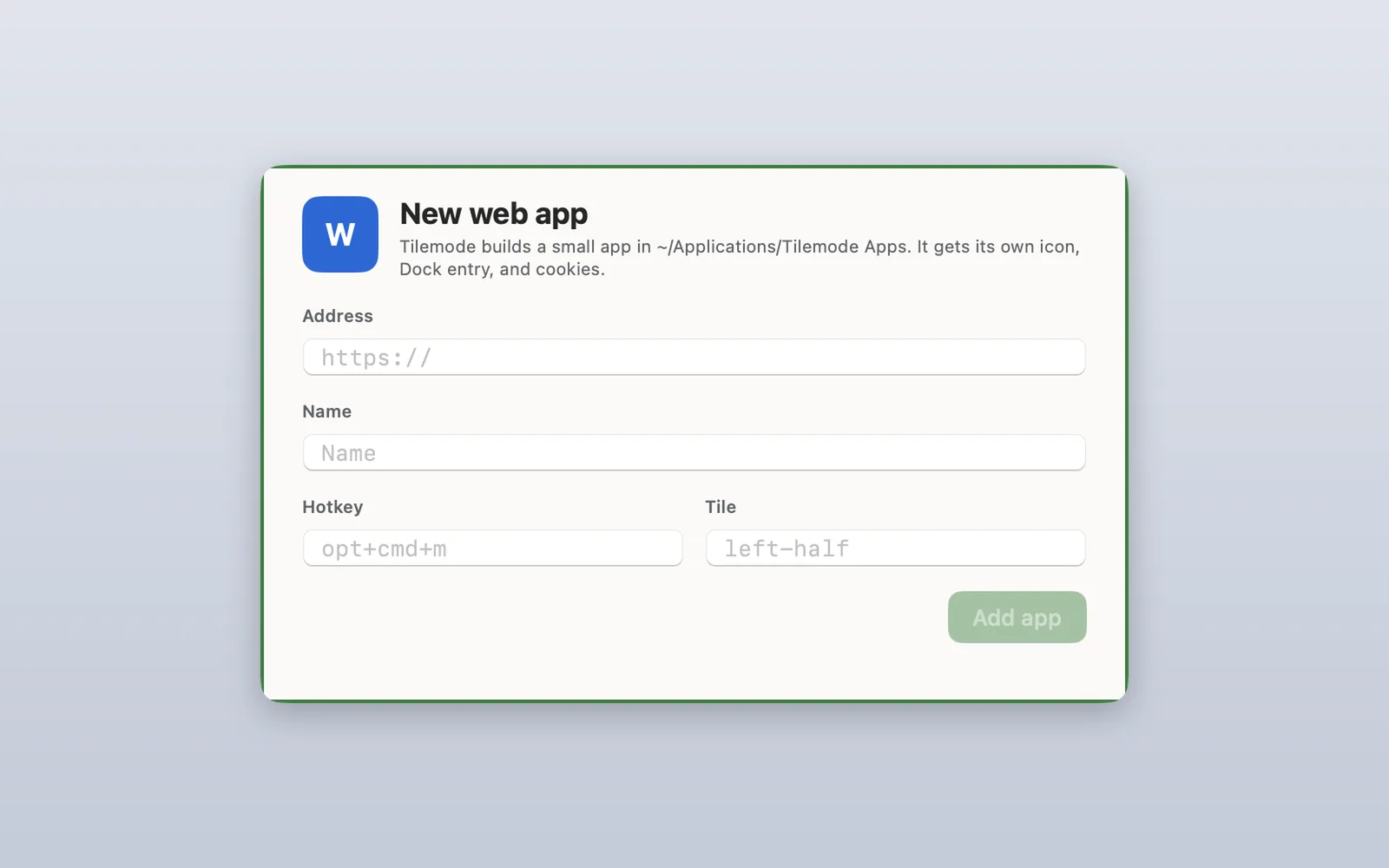
Tilemode builds a small app for it in ~/Applications/Tilemode Apps, with a plain letter icon (no logo), its own Dock spot and its own storage. Prefer the command line? tilemode app add https://calendar.google.com --name "Calendar" --hotkey ctrl+opt+cmd+c --tile right-third does the same thing.
What works in your Google Calendar app
It’s Google Calendar’s own website, so it looks and works the way it does in a browser. On top of that:
- Its own window and Dock icon. ⌘⇥ finds it like any other app.
- It stays signed in. Each app keeps its own sign-in and storage, separate from your browser and from your other web apps.
- One key to bring it up. The hotkey opens the app, or brings it to the front if it’s already open.
- Notifications. When Google Calendar shows a notification while the app is open, it appears as a normal Mac notification.
- Downloads go to your Downloads folder, and links to other sites open in your usual browser.
- Mac keys: ⌘R reloads, ⌘[ and ⌘] go back and forward, ⌘L goes to an address, and ⌘⇧O opens the page in your browser.
Good for
- Seeing your day, week or month and switching calendars on and off
- Making, moving and editing events, and answering invitations
- Event reminders while the app is open, as Mac notifications (see the tip below)
What it can’t do yet
- Joining video calls inside the app: camera and microphone aren’t available in Tilemode apps. Video call links open in your usual browser, where they work as normal.
Tips for Google Calendar as an app
- Get reminders as Mac notifications: in Google Calendar, open Settings › General › Notification settings and choose Desktop notifications. Don’t choose Alerts: those are pop-up boxes, which Tilemode apps don’t show.
- Keep it in the right third: set the tile to right-third and the app opens there every time, next to whatever you’re working on.
- Leave it open: reminders come from the page itself, so they arrive while the app is open. Hide it with ⌘H instead of quitting.
The built-in way: Safari’s Add to Dock
On macOS Sonoma 14 or later, Safari can make a web app for free:
- Open Google Calendar in Safari:
https://calendar.google.com - Choose File › Add to Dock (or click the Share button and choose Add to Dock).
- Type a name and click Add.
The web app is saved to the Applications folder in your home folder and appears in the Dock and Spotlight. Safari usually carries your sign-in over when you make it. After that it keeps its own cookies and history, apart from Safari. It has a simple toolbar with back and forward, you can give it any name and icon, and for sites that send notifications it can show them with a count on its Dock icon. Because it’s Safari underneath, it also handles things Tilemode apps can’t yet, like choosing files to upload.
If you only need to see and add events, the Calendar app on your Mac can show your Google calendars: go to System Settings › Internet Accounts, click Add Account, and choose Google. You don’t get Google Calendar’s own pages and settings there.
More on this, step by step: how to turn a website into a Mac app.
Why make it with Tilemode
Safari’s web app is a good start. Tilemode, our Mac app, adds the parts that make it fast to use every day:
- A hotkey for every app. Press it and Google Calendar comes up, whatever you’re doing. Press it again to go through its windows.
- It opens where you want it. Give the app a tile and it lands there every time, next to your other work.
- Tiling for everything else. ⌃⌥1 puts your windows side by side, and ⌃⌥F fills the screen.
- As many as you like. Each app has its own sign-in, so two accounts can be two apps with two keys.
Questions
Will I stay signed in?
Yes. The app keeps its sign-in and storage between launches, separate from your browser and from your other web apps.
Will I get event reminders?
Yes, while the app is open, if Google Calendar’s notification setting is Desktop notifications. They appear as normal Mac notifications. Hide the app with Command-H rather than quitting it.
Can I see my Google Calendar in the Mac Calendar app instead?
Yes. Add your Google account in System Settings › Internet Accounts and turn on Calendars. It shows your events, but not Google Calendar’s own pages and settings.
Can I join video calls from it?
Video call links open in your usual browser, where the camera and microphone work. Tilemode apps don’t have camera or microphone access.
How do I remove the app?
In Tilemode, run tilemode app remove with the app’s name, or delete it from ~/Applications/Tilemode Apps. For a Safari web app, drag it from the Applications folder in your home folder to the Trash.