Mac keys for Windows users
Coming from a Windows PC, most of what you know still works on a Mac, just under different keys. This page lists the Mac version of each key and shortcut you’ll reach for in your first week.
Ctrl becomes Command (⌘): copy is ⌘C, paste is ⌘V. Alt is Option (⌥). There’s no Windows key; ⌘␣ opens Spotlight, the Mac’s Start menu.
Alt-Tab is ⌘⇥, Home and End are ⌘← and ⌘→, and right-click is Control-click or a two-finger click.
Windows keys and their Mac equivalents
The short version: Command (⌘) is your new Ctrl, Option (⌥) is Alt, and there’s no Windows key. Here’s where everything else went.
| On Windows | On a Mac | Notes |
|---|---|---|
| Windows key | ⌘ Command, and ⌃ Control | Command does most of what Ctrl did. Command-Space opens Spotlight, like the Start menu. |
| Ctrl | ⌘ Command | Copy is ⌘C, paste ⌘V, save ⌘S, undo ⌘Z. |
| Alt | ⌥ Option | Types special characters and reveals hidden menu items. |
| Alt-Tab | ⌘⇥ | Switches apps. ⌘` switches windows of the same app. |
| Alt-F4 | ⌘Q or ⌘W | ⌘Q quits the app; ⌘W closes just the window. |
| Ctrl-Alt-Delete | ⌥⌘⎋ | Opens Force Quit. |
| Home / End | ⌘← ⌘→ | Start or end of the line. Fn-Left / Fn-Right scroll to the top or bottom of the document. |
| Page Up / Down | Fn↑ Fn↓ | On keyboards without those keys. |
| Backspace | ⌫ Delete | Deletes to the left. |
| Delete | Fn⌫ | Deletes to the right. |
| Enter | ↩ Return | Same key, Mac name. |
| Print Screen | ⇧⌘3 ⇧⌘4 | Whole screen, or drag to pick an area. ⇧⌘5 opens all the screenshot tools. |
| Right-click | Control-click | Or click with two fingers on the trackpad. |
| Ctrl + arrow keys | ⌥← ⌥→ | Jump a word at a time. Add ⇧ to select. |
| Ctrl-Backspace | ⌥⌫ | Deletes the word to the left. |
| Win + Left / Right (snap) | Fn⌃← Fn⌃→ | Moves the window to the left or right half (macOS 15 and later). |
| Win + Up (maximize) | Fn⌃F | Fills the screen and keeps the menu bar and Dock. |
| Win + D (desktop) | FnH | Shows the desktop. |
| Win + L (lock) | ⌃⌘Q | Locks the screen. |
| Win + . (emoji) | FnE or ⌃⌘␣ | Opens the emoji and symbols viewer. |
Fn is the key marked fn, or with a globe on newer Mac keyboards. Not sure what a symbol means? See every Mac keyboard symbol.
Where is the Windows key on a Mac?
There isn’t one. On a Mac, Command and Control share its job:
- Start menu: press ⌘␣ to open Spotlight, type an app or file name, and press Return.
- Shortcuts: almost every Ctrl shortcut you know works with ⌘ instead: ⌘C, ⌘V, ⌘X, ⌘Z, ⌘A, ⌘F, ⌘S, ⌘P.
- Settings: ⌘, opens the settings of the app you’re in.
If you plug a Windows keyboard into a Mac, you can swap what each modifier key does in System Settings › Keyboard › Keyboard Shortcuts › Modifier Keys.
How to right-click on a Mac
- Control-click: hold Control and click.
- Trackpad: click or tap with two fingers.
- Mouse: many mice right-click as usual.
To change it, open System Settings › Trackpad (or Mouse) and pick an option from the Secondary click menu.
Snapping and switching windows
Two habits that change the most:
- Alt-Tab is Command-Tab, and it switches apps. To switch between two windows of the same app, press ⌘`. More in how to switch windows on a Mac.
- Snap is called tiling. Drag a window to the left or right edge of the screen, or press Fn⌃← / Fn⌃→. See how to split screen on a Mac.
- Maximize is Fill. Hold the pointer over the green button and choose Fill. The green button’s other choice, full screen, hides the menu bar. See full screen vs. Fill.
- Closing a window often leaves the app running. Press ⌘Q to quit it.
Make window snapping feel like home
If you miss pressing one shortcut to snap a window, Tilemode, our Mac app, does it without the Fn key or dragging:
- ⌃⌥1 Two windows side by side, ⌃⌥2 thirds, ⌃⌥3 quarters.
- ⌃⌥⇧← / ⌃⌥⇧→ Move the window to the next spot.
- ⌃⌥F Fill the screen, like maximize.
- One key per app: press it to open the app or bring it to the front.
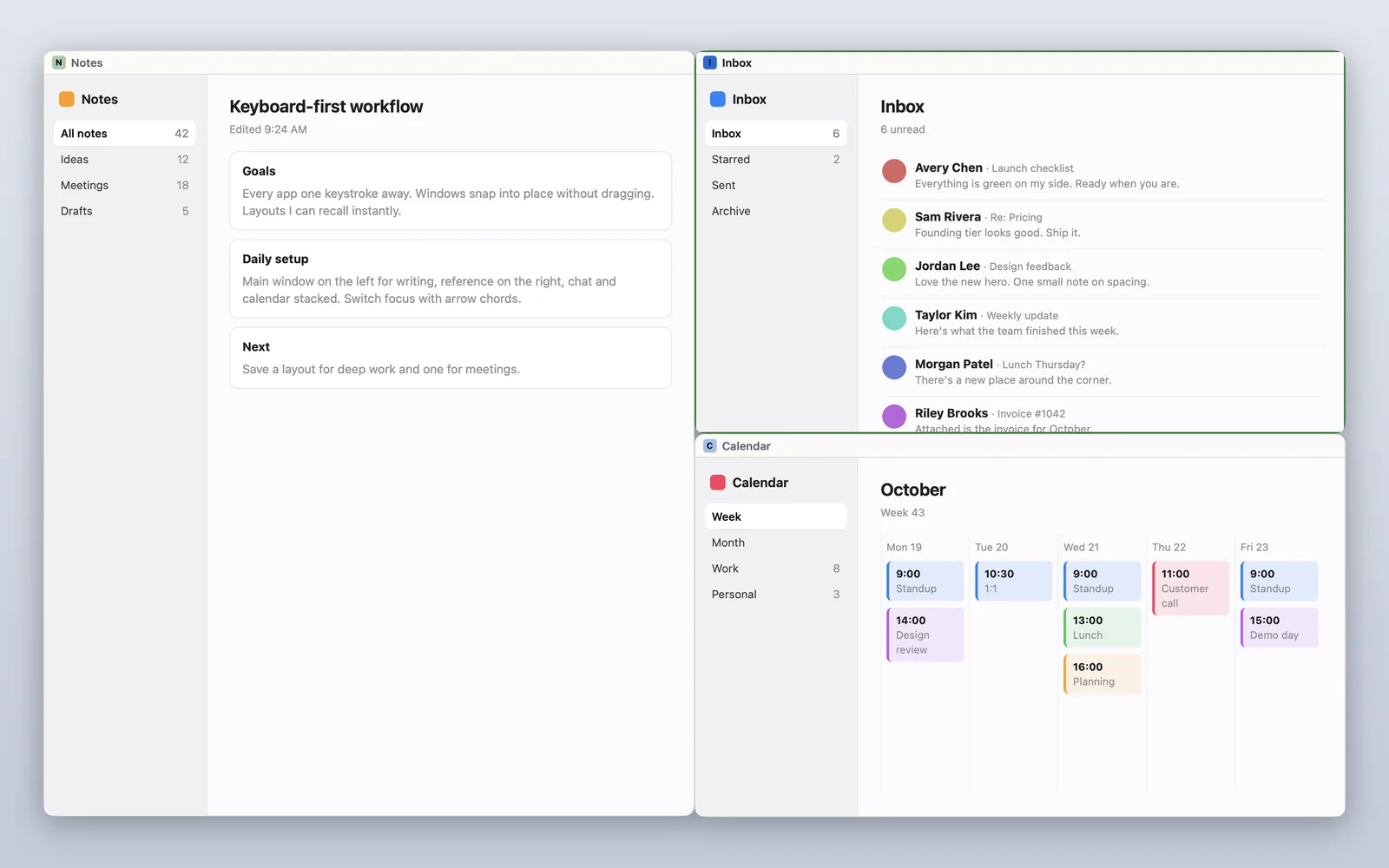
Tilemode needs macOS 14 or later.
Questions
What is the Windows key on a Mac?
A Mac has no Windows key. Command does most of what Ctrl and the Windows key did on a PC, and Command-Space opens Spotlight, which is like the Start menu.
What is Ctrl on a Mac?
For shortcuts, use Command. Copy is Command-C, paste is Command-V and save is Command-S. The Mac also has a Control key, used for things like Control-click to right-click.
What is Alt on a Mac?
Option. It types special characters such as é and shows hidden menu items when you hold it with a menu open.
Where are Home and End on a Mac?
Press Command-Left Arrow or Command-Right Arrow to go to the start or end of a line. Fn-Left Arrow and Fn-Right Arrow scroll to the top or bottom of the document.
How do I delete forward on a Mac?
Press Fn-Delete. The Delete key on its own deletes to the left, like Backspace. Option-Delete deletes a whole word.
What is Print Screen on a Mac?
Shift-Command-3 takes a picture of the whole screen and Shift-Command-4 lets you drag to pick an area. Shift-Command-5 opens all the screenshot and recording tools.
What is Ctrl-Alt-Delete on a Mac?
Option-Command-Esc opens the Force Quit window, where you can close an app that has stopped responding.
How do I snap windows on a Mac like on Windows?
Drag a window to the left or right edge of the screen, or press Fn-Control-Left Arrow or Fn-Control-Right Arrow. This is called tiling and needs macOS 15 or later.